Posts

Agile in a Nutshell

Image
Agile software development describes a set of principles for software development under which requirements and solutions evolve through the collaborative effort of self-organizing cross-functional teams.It advocates adaptive planning, evolutionary development, early delivery, and continuous improvement, and it encourages rapid and flexible response to change.These principles support the definition and continuing evolution of many software development methods.

How to resolve file corruption after upload through WCF Service.

Recently I Implemented a WCF  Service to upload files. Implementation was fine and even file save to given location successfully, but  when I try to open these files I got error messages saying that the file is not encoded properly or file is too large to open. After searching I got a sample code to overcome that issue. You can check original Implementation in here  http://multipartparser.codeplex.com/ . Thanks Anthony for awesome code implementation.  

Upload Files using WCF Rest Service

1. Interface Class [ServiceContract] public interface IUpload { /// <summary> /// Upload, runs synchronously service side . /// </ summary > /// < param name="token">An application arbitrary piece of data. Can be used for request obfuscation.</ param > /// < param name="data">The data being uploaded.</param> [OperationContract] [WebInvoke(UriTemplate = "upload/{token}", BodyStyle = WebMessageBodyStyle.Wrapped, RequestFormat = WebMessageFormat.Json, ResponseFormat = WebMessageFormat.Json)] void Upload(string token, Stream data); } 2. Service Implementation Class public class UploadDataService : IUpload { public void Upload(string token, Stream data) { StreamToFile(data); } private void StreamToFile(Stream data) { // get full path to and create the directory to save file in ...

Using Sharepoint objects (SPSite| SPWeb) in Sharepoint Hosted WCF service

Recently I Implemented and hosted WCF service inside Sharepoint (_vti_bin folder). so when I try to consume list and other sharepoint related object I got some SPSecurity errors. so normally what we do is something like below  using  ( SPSite  site =  new   SPSite (ProjectInfo.SiteUrl)) { // Your code here } but this approche will give you an error (SPSecurity is unhandled by user code). so to overcome that issue you can use  SPUserToken. SystemAccount when you try to creae a SPSite object or SPWeb object.   using ( SPSite site = new SPSite (ProjectInfo.SiteUrl, SPUserToken .SystemAccount )) { // Your code here } Note : And also use SPSecurity.RunwithElevatedPrivileges  to execute specified method with full control rights even if the current user doesn't have full control.

Deploy and Consume Sharepoint 2010 hosted WCF Service - Part 2

Image
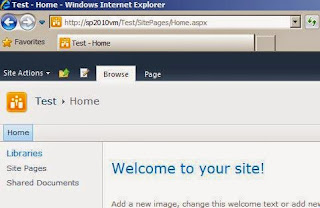
Welcome back, I talked about how to create a HTTPS enable Sharepoint site in the 1st Part of this post series. You can find it here . 1. Create SharePoint WCF in Visual Studio 2010 1.1 Go to Visual studio Go to new project and Select empty Sharepoint 2010 Project. 1.2  Then it will ask you to select a Sharepoint site which you wanna host this Sharepoint Project. so give your Sharepoint site and Check on Deploy as Farm Solution 1.3 Now it's time to add your WCF  component  to your project. by default you cannot directly add a WCF component to your project. so Here I'm going to use CKS Dev component to do that.  1.4 Go to menu bar and select tool. then select on Extenstion manager to Add CKS Dev tool. Search for CKS Dev on online Gallery and Install CKS Dev server component. 1.5 Once you install CKS dev re-start your Visual studio and now you can add WCF components to your solution easily. Select your Project and select on add new Item and select WCF serv...

Deploy and Consume Sharepoint 2010 hosted WCF Service - Part 1

Image
Hosting a WCF service inside Sharepoint is now pretty easy and consume those services are also pretty easy compare with sharepoint. Today I'm going to create a simple SOAP WCF service and I'm going to host it inside Sharepoint Site. ( Note - HTTPS is enable in this Sharepoint site and It uses Claim base authentication) 1. Create HTTPS Sharepoint Web Application and Site Collection. 1.1 Go to Share Point  Central Administration  site and select Application Management  1.2  Select Manage Web application, It will redirect you to Web Application page. From thre select New button to create a new Site. Then Sharepoint will popup a window to create a new Web Application. Here I'm going to keep the most of the settings as it is but i'm going to change following settings Note - Change Authenitication to "Claims Based Authentication" In Authentication section and Select "Yes" for Use Secure Socket Layer in Security Section. Then Press OK to continue...

Recursive Folder Creation method for SharePoint

Image
public static class SPFolderExtensions { /// <summary> /// Ensure SPFolder /// </summary> /// <param name="web"></param> /// <param name="listTitle"></param> /// <param name="folderUrl"></param> /// <returns></returns> public static SPFolder CreateFolder(this SPWeb web, string listTitle, string folderUrl) { if (string.IsNullOrEmpty(folderUrl)) { throw new ArgumentNullException("folderUrl"); } var list = web.Lists.TryGetList(listTitle); return CreateFolderInternal(list, list.RootFolder, folderUrl); } /// <summary> /// Creates the folder internal. /// </summary> /// <param name="list">The list.</param> /// <param name="parentFolder">The parent folder.</param> ...

Convert XML data to dynamic (ExpandoObject) Object

Image
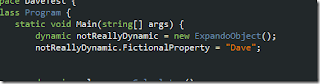
public static IEnumerable<dynamic> GetExpandoFromXml(string file, string descendantid) { var expandoFromXml = new List<dynamic>(); var doc = XDocument.Load(file); var nodes = doc.Root.Descendants(descendantid); foreach (var element in doc.Root.Descendants(descendantid)) { dynamic expandoObject = new ExpandoObject(); var dictionary = expandoObject as IDictionary<string, object>; foreach (var child in element.Descendants()) { if (child.Name.Namespace == "") dictionary[child.Name.ToString()] = child.Value.Trim(); } yield return expandoObject; } }

Generic Method to Get an Element value of XML Document

1. Generic Method public static T GetElementValue<T>(this XElement element) { if (element == null) return default(T); if (string.IsNullOrEmpty(element.Value)) return default(T); if (typeof(T) == typeof(string)) return (T)Convert.ChangeType(element.Value, typeof(T)); PropertyInfo[] properties = typeof(T).GetProperties(); Type underlyingType = typeof(T); if (properties.Count() == 2 && string.Equals(properties[0].Name, "HasValue", StringComparison.InvariantCultureIgnoreCase)) underlyingType = properties[1].PropertyType; MethodInfo method = underlyingType.GetMethod("Parse", new[] { typeof(string) }); var newObject = (T)method.Invoke(null, new object[] { element.Value }); return newObject; } 2. Method Call var xElement = XElement.Load("Data.xml"); var siteUrl = xElement.Element("Sit...

Simple Method to Test Rest Web Service

Image
private static string CallRestMethod(string url) { var webrequest = (HttpWebRequest)WebRequest.Create(url); webrequest.Method = "GET"; webrequest.ContentType = "application/x-www-form-urlencoded"; webrequest.Headers.Add("Username", "xyz"); webrequest.Headers.Add("Password", "abc"); var webresponse = (HttpWebResponse)webrequest.GetResponse(); Encoding enc = Encoding.GetEncoding("utf-8"); var responseStream = new StreamReader(webresponse.GetResponseStream(), enc); string result = responseStream.ReadToEnd(); webresponse.Close(); return result; }

Host WCF Service in IIS8

Image
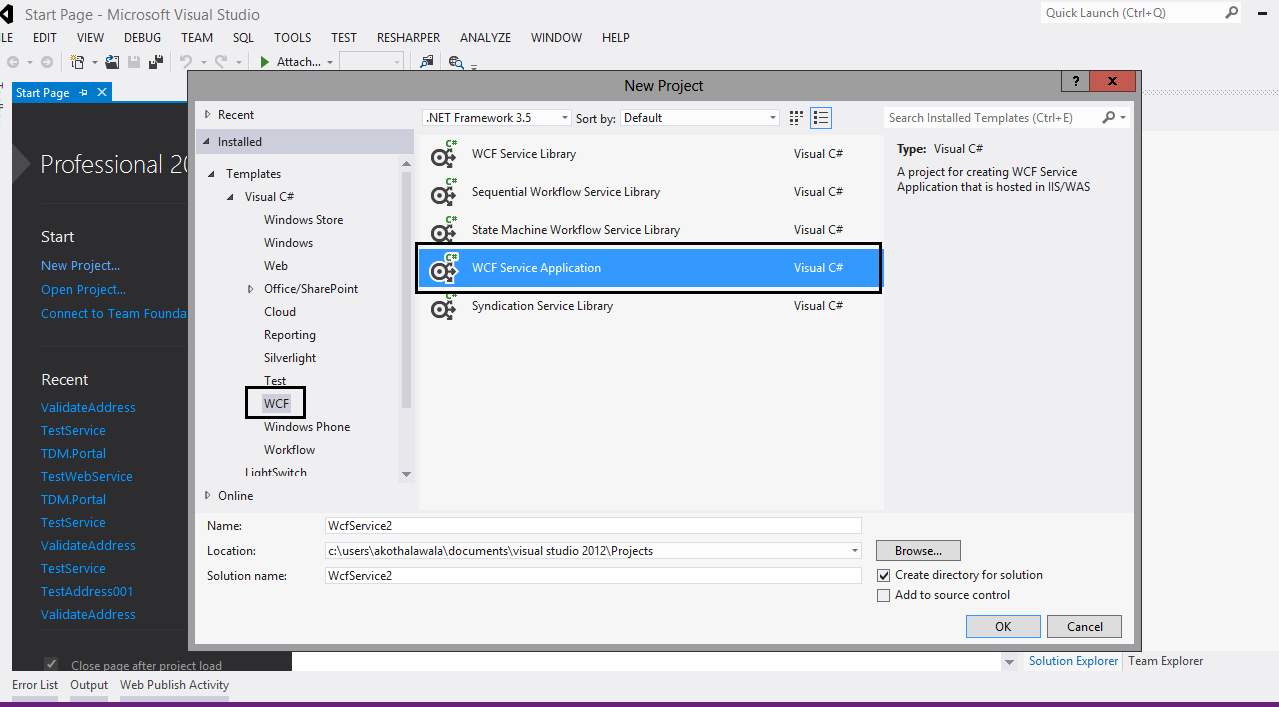
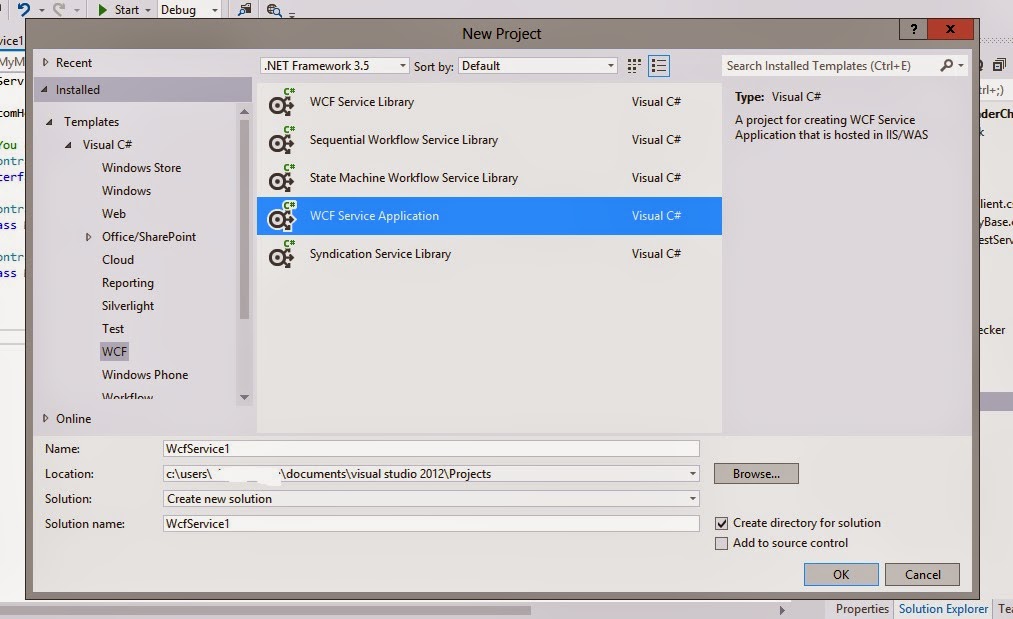
Today I'm going to Show how to host a WCF Service in IIS in easy way. there are several approaches you can host WCF service to IIS. okay to host a service we need to create a Service right. so let's create a simple WCF Service. 1. Go to Visual Studio and create a new WCF Service Application Project.   2. Remove existing Methods from IService1 Interface and add below method to your project.     Note : You can add any other method rather than my one.       

How to Implement RESTful WCF Service

Image
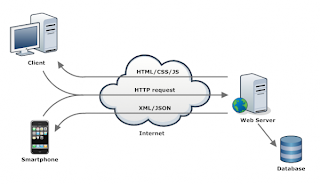
Windows Communication Foundation (WCF) is an SDK for developing and deploying services on Windows. WCF provides a runtime environment for your services, enabling you to expose CLR types as services, and to consume other services as CLR types. In this article, I am going to explain how to implement restful service API using WCF 4.0 . The Created API returns XML and JSON data using WCF attributes. 1. What is REST (Representational state transfer)  In simple form  Representational state transfer (REST) is  another cool  architectural style. you can find more about the Restful architectural pattern here . 2. Why REST is famous these days. Less overhead (no SOAP envelope to wrap every call in) Less duplication (HTTP already represents operations like  DELETE ,  PUT ,  GET , etc. that have to otherwise be represented in a SOAP envelope). More standardized - HTTP operations are well understood and operate consistently. Some SOAP implementations ...

Custom SOAP Header for WCF Service

Image
From this article I'm going to explain how to create a custom SOAP header ( actually add custom attributes to the SOAP Header). So I hope you have some kind of knowledge regarding WCF. so I'm not going to explain fundamental thing in WCF. 1. Go to Visual Studio and create new WCF Service application 2. Then you can find Iservice1.cs Interface and Service1.svc file in your WCF project. so go to        Iservice interface and add a method call Method or even you can add whatever name you like. so  here is my one. [ServiceContract] public interface IService1 { [OperationContract] MyMessageResponse Method(MyMessage message); }

Simple way to connect to SQL Server when you can't find server name

Image
sometime you will get a window like above when you try to connect to the SQL Server 08 (didn't check it on server 05. I think this will work on that on as well.) and you have no idea what is the name of the server. Then you can press a ". "(dot without double quotes) and press connect then you will be able to connect to the server. Simple right. Hope This will help you.  

WCF (Windows Communication Foundation) for beginners

Image
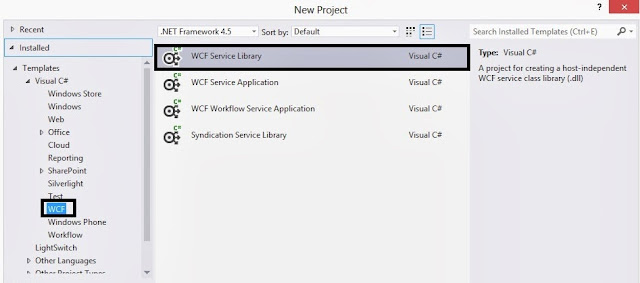
Hi guys after long time huh? so today i come up with a new topic but something very important to all of us. something you should really need if you are a great software engineer or a great programmer. so let's talk about WCF (windows communication foundation) by looking at a simple demo. because you can read lot of things regarding this topic in internet but the demos are kind of low to find. That's why I want to make this one a practical example. hope you understand. 1. so to create a WCF service or services you must create a new WCF project. (important run your visual studio as a administrator otherwise it'll not work)    Go to visual studio and from Installed template select WCF  and then select WCF Service library Project. 2. now give a proper name to the project. in here i'm going to give it a CalculationServices because this service is going to do simple calculation such as addition and multiplication. 3. Okay when you create a proje...

Solution for failed to create Configuration Database for MOSS 2007 on Windows Server 2003

Image
some time when after you install and try to run the configuration wizard you will get an error message like this. then you know idea to what to do. you go and check your SQL Server and Application pool, Services in the server and so many other things. but you can overcome this problem easily.  Solution check you have installed Microsoft office 2010 in your server. if so then uninstalled and re run the wizard. then it'll work smoothly. 

Walkthrough Func type in C#

Image
from my last post I talked about the Func type and Action type. so today also i'm going to go through that topic and show you a sample code of func type usage. Code is pretty simple and no need to explain in detail. go through it then you will understand that easily and also you'll get an idea about the Func type. of easy of demonstration i put all the method to program.cs class in console application project. Enums and Dictionary variables /// <summary> /// The dictionary to hold method names /// </summary> private static Dictionary<CalculationType, Func<int, int, int>> methodDictionary; /// <summary> /// CalculationType /// </summary> internal enum CalculationType { Add, Multiply, Subtract, Divide } Common Calculation methods /// <summary> /// Adds Two values and return the answer. /// </summar...

C# Func and Action Type Example

Image
From this article I'm going to show simple example of Func and Action Type in C#. before go to the coding let's see what's Func and what is Action. so in the previous article we talked about the delegates. so these func and Action types are also derived from delegate type. 1. Func  Func handle method with parameters therefore we say Func is Parameterized type. in Func we specified number and kind of parameters and what should be the return type. And Func type provides a way to store anonymous methods in generalized and simple way.  you can find more information about Func here . 2. Action  Action object return no value. so this is similar to void method in C# and we can use Action type to handle Void methods. Action method can found in System namespace. You can find more information about Action here . so let's go to a sample code and try to get idea about these concepts. class Program { /// <summary...

C# Delegates for Beginners

Image
Delegate is a type that can reference to a method. once delegate is assigned to a method it can behave exactly like that method. so now I'm going to show you a simple example to demonstrate how delegate is work.  so let's go to the code and check that one. I'll explain things while i show you the code. okay. To demonstrate this i created a console application named demo. now we need a simple class to add our calculation methods. so go to your project and create a class name Calculation and add following method to your class  1. C alculation Class /// <summary> /// Calculation Class /// </summary> public class Calculation { #region Public Methods /// <summary> /// Adds two values /// </summary> /// <param name="value1">The value1.</param> /// <param name="value2">The value2.</param> /// <returns></returns> ...

Command Design Pattern

Image
Today I'm going to show you another important design pattern which we can use for recurring  problems. Main intent of this design pattern are mention below  Encapsulate a request as an object, thereby letting you parameterize clients with different request, queue or log request, and support undoable operations. Promote "Invocation of a method on an object" to full object status . Promote  An object-oriented callback  You already know i'm kind of lazy person when comes to documentation as well as blogging lengthy articles he heee. so if you guys like to know more information about command pattern, please refer here . Okay let's try to implement this using a simple example. so today i'm going to create a simple calculator ( Windows form project) and it can do few operations such as add, subtract and multiplication. so let's see the code segment and then you will understand how this pattern works. 1. Ac...